

Two views, the same tools
The Simple view shows one tool at a time; the Board view composes them on a canvas. Switch freely between the two.
We would like to measure visits to these pages with Google Analytics: how many people come, from where, and whether they open the board. Nothing loads until you accept, and the classroom board is never measured. Learn more
The composable classroom screen
Whiteboard, morning routine, name wheel, balanced teams, timer: 18 tools on a single canvas, cast to the board. No ads, nothing to install.
The whiteboard, the wheel, the noise meter, the traffic light and the timer, side by side on the canvas. No editing: this is the screen you project.
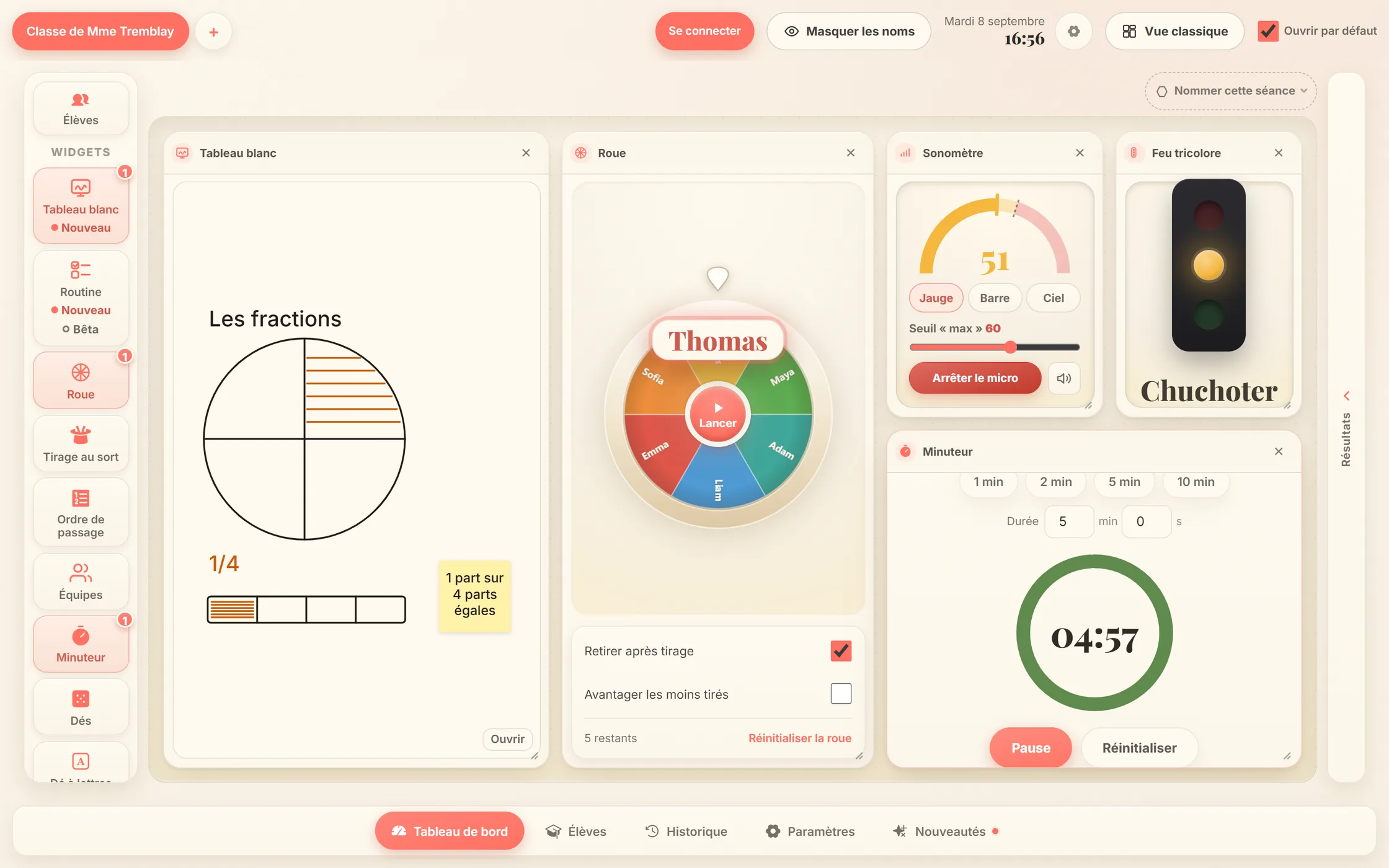
The Simple view shows one tool at a time; the Board view composes them on a canvas. Switch freely between the two.
The board remembers your tools, their sizes and their settings — in your browser, ready for tomorrow morning.
Large touch targets, readable from the back of the room, everything works by touch right on the board. Whiteboard or projector.
From taking attendance to projected teams, without retyping a single list.
Mark who’s away with one tap: they drop out of draws instantly, and everything resets the next day.
The wheel picks among present students — no favouritism, no “always the same ones”. Absent students are excluded automatically.
Pick a team size and the board splits present students into balanced groups — boys, girls or the whole class.
A fox, a panda, a koala: 60 subjects, each drawn in 10 styles. Students pick their own, and it follows them everywhere — in the name draw, in teams, in the speaking order.
 Sticker
  Clay
Clay  Plush
Plush  Geometric
  Flat vector
  Paper cut
  Bricks Premium
  Cubes Premium
  Manga Premium
  Superheroes Premium Emma
  Sofia
Sofia  Thomas
  Maya
Maya  Adam
Adam  Liam
Liam The morning draw is only the start. Kliip also carries the lesson’s whiteboard and the opening routine — and it keeps what the day produced.
Write, draw, drop sticky notes and shapes. Paste an image from the Kliip bank or one of your own, from your device — it stays in your browser. Three named boards per class for free, no limit with Premium.
The date, the weather set by hand, the number of the day and your steps to tick off in front of the class — with a sticker for each step, chosen from 104 images. The day’s schedule and the month’s calendar come with Premium.
Every draw files itself under the current session — “Science”, “Reading workshop”. Name what deserves keeping, sort it into folders, archive the rest. Nothing is lost between two mornings.
The Simple view’s rail and the Board’s canvas offer exactly the same set of tools — this one.
Add a few names and spin the wheel — this is exactly what your students will see.
One class and every tool, free forever. The subscription adds what a browser cannot keep on its own.
Available now
forever
Available now
€2
per month
billed €24 per year · tax included
CA$3
per month
billed CA$36 per year · before tax
US$2
per month
billed US$24 per year · before tax
Paste two lines of code on your blog, LMS or school site: the mini-portal shows up on your page, with no ads and no cookies.
Responsive · cookie-free · discreet attribution link back to the site.
Tip: add ?students=Alice,Bob,Chloe to the URL to pre-fill the list.
<iframe src="https://kliip.school/embed/classe/"
  width="100%" height="560" style="border:0;border-radius:18px"
title="Interactive classroom screen — Kliip" loading="lazy"></iframe>Yes — the board, its tools and the embed are free, with no ads and no advertising cookies. Kliip Premium, as an option, adds the features that need an account and a server.
No. The board opens and works without signing up: your lists and your layout stay in your browser. The account is what you use to subscribe to Kliip Premium and manage your subscription.
No: names stay in your browser (local storage) — nothing is sent to a server.
It’s the composable canvas: place several tools at once — timer, noise meter, instructions —, resize them, and the layout is kept for the next day. The free plan keeps up to 3 at the same time; Premium has no limit. The Simple view shows one tool at a time.
In the “Draw from” selector, pick “Teams of N”, then the size you want: the board splits present students into balanced groups.
Yes, that’s the point. Kliip opens right on the class screen: the buttons are big enough for a finger, and draws read from the back of the room.
Yes: the “Embed it on your site” section gives you a copy-paste code that shows the mini-portal on your page.
Open it, add your names and project: thirty seconds is all it takes.
Open the board